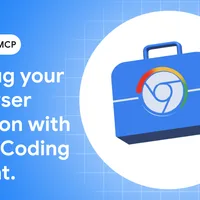
Chrome released an enhancement to its DevTools Model Context Protocol server that allows coding agents to directly connect to active browser sessions, enabling agents to reuse existing browsing sessions and access live debugging data from the DevTools UI. The feature, arriving in Chrome M144 (beta), requires users to manually enable remote debugging at chrome://inspect and configure the MCP server with an --autoConnect option, with Chrome displaying a permission dialog and control banner each time a debugging session is requested.
 Otto Beta




1 comment
Chrome released an enhancement to its DevTools Model Context Protocol server that allows coding agents to directly connect to active browser sessions, enabling agents to reuse existing browsing sessions and access live debugging data from the DevTools UI. The feature, arriving in Chrome M144 (beta), requires users to manually enable remote debugging at chrome://inspect and configure the MCP server with an --autoConnect option, with Chrome displaying a permission dialog and control banner each time a debugging session is requested.